
ACCOUNT
Wallet Verification Steps
This area shows the account details used for wallet checks and explains when identity confirmation may…
des666 puts Live Blackjack Gold, Barong Dance Slots and football markets behind one verified account, with a direct route from login to the lobby.
Our casino and slots lobby supports category browsing, title search and quick movement between recent areas.
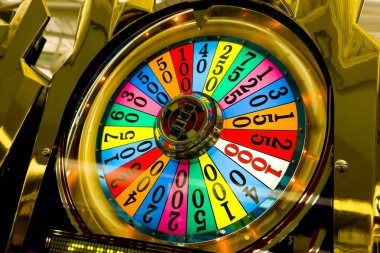
Casino rooms appear first, followed by live tables, fishing rounds and sports markets arranged for quick switching from one home screen.
Pragmatic Play, PG Soft and Habanero sit alongside regional studio names, giving you recognisable slot formats and table controls in one catalogue.
DANA, OVO, GoPay and QRIS appear directly in our cashier, alongside virtual account and bank transfer routes.
Some home links matter beyond the first session. We keep account access, wallet records, game rules, support and policy pages within the main navigation so you can return to them later.



A clear account route is the first thing to check on our home page. Start with your mobile number, complete phone verification and create your password before account…
Our mobile home page follows one route from account access to the lobby and cashier without requiring a separate app.
Account protection starts before the lobby opens. We use phone verification during the access flow and request additional checks when sensitive details change.
An active mobile number supports the initial account check and later access prompts. Keep that number current, because changes may require confirmation before normal account access resumes.
Use the sign-out control when leaving a shared phone, tablet or computer. If you notice unfamiliar activity, contact live chat promptly and provide only the requested account details.
Pending, completed and declined transaction labels stay in the cashier rather than inside game balances. This separation helps you identify what the wallet rail has actually reported.
Game controls and table terms appear before or within the selected title. We encourage you to read those details because mechanics differ across slots, live tables and sports markets.
Searching across disconnected pages can separate game claims from the account records that matter. Our home navigation links the live lobby, cashier, transaction status, policies and support under one account.
Categories and search tools are attached to the account you use. Scattered discovery pages may name a title without showing whether it is currently present in your lobby.
Our cashier stores the transaction status returned for your request. A separate message or image cannot replace the pending, completed or declined label attached to that entry.
Rules and controls open with the selected game where supplied by its studio. Descriptions copied elsewhere may not reflect the exact room or format you opened.
Live chat and email connect your question with our account path. Unrelated forums cannot inspect your cashier reference, verification stage or current access message.
Policy links remain part of the main navigation and can be revisited before a transaction. Saved extracts from other sources may omit conditions connected to account checks.
The same account history follows you across supported browser sizes. You do not need separate credentials when moving from a phone to a tablet or computer.
Game behaviour varies by title and studio, so we direct you to the rules panel attached to the selected game.

Open the title panel to check paylines, feature rules and any return data supplied by the…
Live Blackjack Gold opens its streamed table inside the game panel.
Crash Countdown Round uses timed round mechanics rather than slot paylines.
Fortune Fishing Game uses target and control mechanics shown within its own panel.
Football, badminton and basketball selections show market terms beside the event.
RTP percentages are informational reference values from provider documentation. Actual session outcomes vary.
Our browser-based home page is arranged for Indonesia access on common phone, tablet and computer screens. You may reach the same account, lobby categories and cashier path while moving between networks, including from Bandung, though connection quality can affect live streams. Availability depends on local law. If a page does not load, check your connection and contact mobile help rather than creating a second account.
The useful parts of our brand are visible in ordinary account tasks. You can identify the lobby categories, see wallet status, search named titles, open sports…
Live Blackjack Gold, Barong Dance Slots and Fortune Fishing Game provide concrete starting points. Search by the full title to avoid opening a similarly named room.
DANA, OVO, GoPay and QRIS appear together in the cashier. Each choice opens its own instructions, confirmation stage and transaction status entry.
Football, badminton and basketball markets sit in the sportsbook area. Event pages show available market terms before you confirm a selection.
One verified account connects casino browsing, local wallet records and support context. You can switch categories without repeating the initial access flow.
The smaller-screen menu keeps lobby search, cashier status and support links within reach. No separate mobile application is required for browser access.
Account and transaction terms remain linked from our main navigation. Read the relevant wording before sharing details or submitting a cashier request.
These answers cover the questions you are most likely to ask before opening an account from the des666 Home page. They explain the lobby, local wallet choices, verification, mobile behaviour, sports access and support routes using the same terms shown in our navigation.
Begin with the account area if you need to verify your phone or check personal details.
Complete the requested phone check and confirm that your registered details are accurate. Correct account details reduce delays when a later wallet request needs verification.
Choose slots, live casino, fishing or sportsbook from the home menu. Search by exact title when you already know which game you want.
Select DANA, OVO, GoPay, QRIS, virtual account or bank transfer and follow the displayed steps. Return to transaction history for the resulting status.
Choose live chat for active account issues or email when a receipt must be attached. Include the game title or transaction reference connected to your question.